
Ashley Smith
GeoTag & AssetID: May 2026 Release Notes
Published 10 May 2026
A shorter, sharper update this month. After April's big push on the installable PWA, our focus turned to what happens once your devices are out in the field: two new alerts on GeoTag that surface trouble before you have to go looking for it, and on AssetID, a milestone of a custom Digital Product Passport build we've been working on with a manufacturer.
GeoTag
1. Two new alerts for your fleet
If you've ever caught yourself opening the map just to check everything's still on, this release is for you. We've added two new alerts that reach out to you when something changes, instead of waiting for you to spot it.
Charge on / off
Whenever a tracker's external power is cut (a battery disconnected, a vehicle ignition turned off on hard-wired units, a charging cable pulled) you'll get a notification. The same happens when power is restored. It's the kind of signal that often used to surface only after a device went silent for a day; now it's immediate.
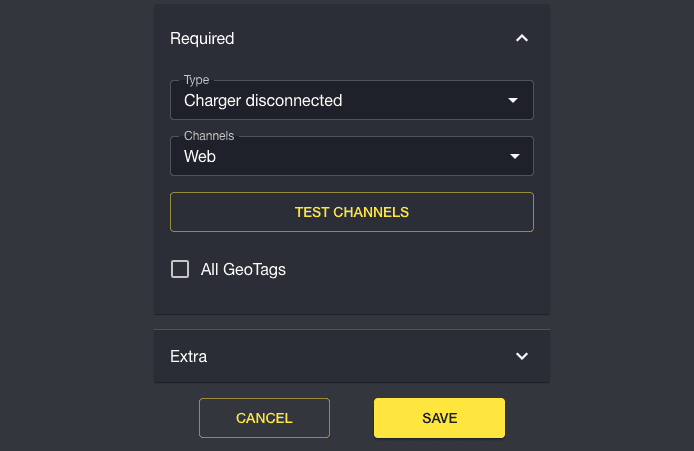
By default this notification is disabled, but you can enable it by going to Settings -> Notifications -> Add, then selecting Charger Disconnected (or Connected). Choose how you want to be notified (Channels). Optionally tick 'All Geotags' to set this active for all assets on your account, then hit Save. You can leave All GeoTags unticked, and add the notification manually to individual trackers instead, if you prefer.
Why it matters: unauthorised disconnections, flat batteries on idle assets, and "did the install actually work?" questions are answered the moment they happen.
No-comms (device gone quiet)
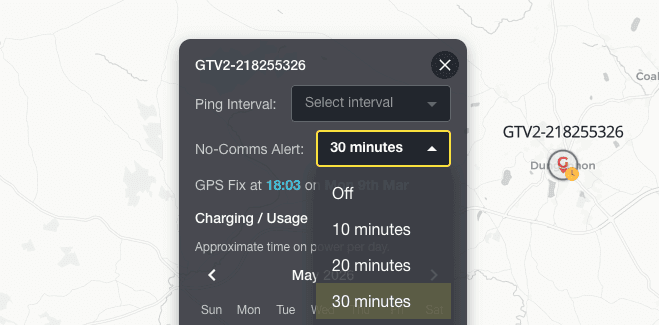
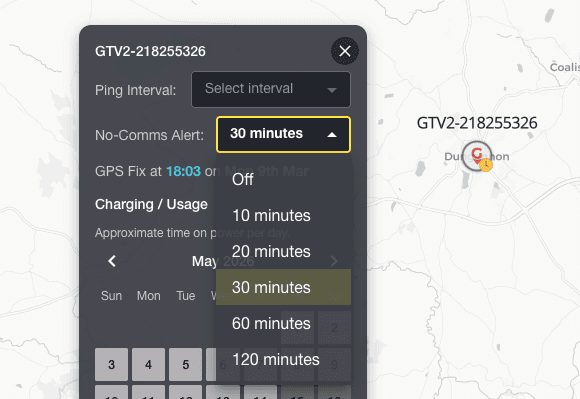
The most-requested alert of the lot. When a previously-active device drops off the network for longer than a threshold you choose per device, you'll know. We've added a new No-Comms Alert selector in the device's status card with sensible presets (10, 20, 30, 60, 120 minutes). A delivery van that goes underground for ten minutes shouldn't page you, but a tracker that's been dark for two hours probably should.
Pick the sensitivity that matches how you actually use the asset. Inactive devices get a clear icon in the device list, so you can see at a glance which ones need a look.
We also backfilled this feature for everyone, so existing accounts start receiving these alerts without having to opt in.
AssetID
1. A custom Digital Product Passport build, with a manufacturer
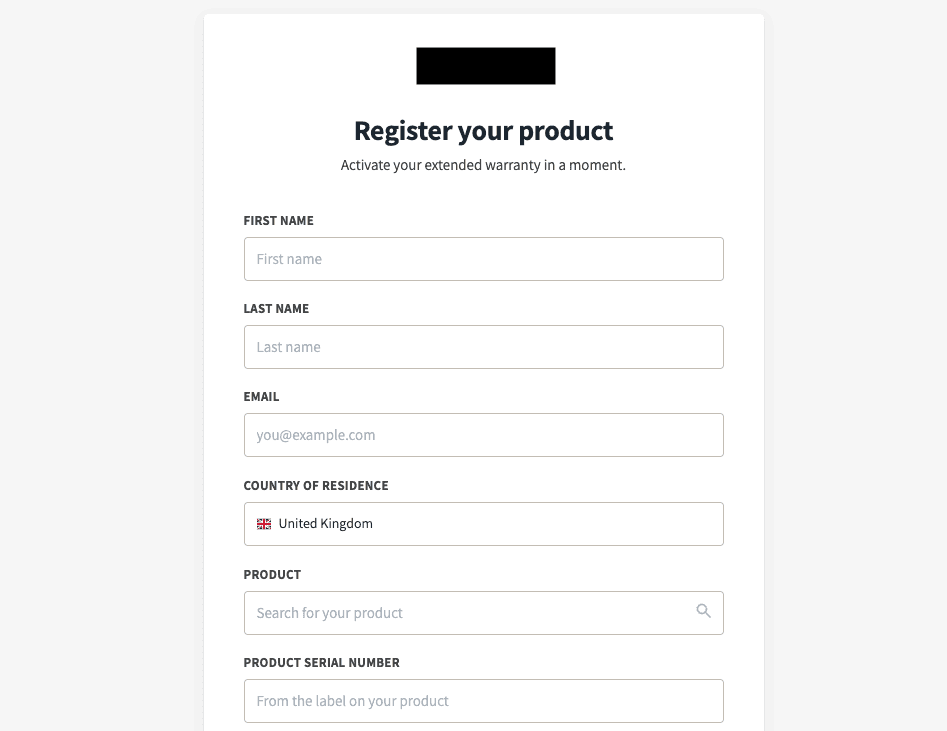
We've been quietly heads-down on a bespoke Digital Product Passport solution for a manufacturer client, tailored to their product range, their compliance needs, and their commercial model. May's release contains the first piece of that work to surface publicly: a white-labelled customer-facing onboarding flow built to their brand, sitting on top of AssetID.
We mention it here because it's a good signal of three things:
Our DPP business is real and shipping. We're building production DPP infrastructure with manufacturers, not just talking about it.
AssetID handles bespoke needs well. Where the standard platform doesn't fit a client's product or workflow, we extend it; the underlying capabilities (identity, ownership, lifecycle) stay shared.
The platform is flexible enough to whitelabel. If you're a brand exploring AssetID for a product range, the front door doesn't have to be ours - it can be yours, on your domain, in your design system.
The onboarding flow itself ships with the platform-level pieces you'd expect: abuse-prevention (Google reCAPTCHA v3, server-side throttling) and direct CRM hand-off so the client's commercial team picks up each new customer immediately, in their own system, with the right context.
If a custom DPP solution is something your product team has been thinking about, come talk to us.
What's next?
Coming up: more alerts and some long-overdue map polish on GeoTag. As always, if there's a specific alert type, partner workflow, or report you'd love to see, tell us - every single thing in this month's release came from a customer asking for it first.